




- Weighted versesYou can now judge how severe each corruption is
- Freeze modeAllows you to focus on one translation at a time
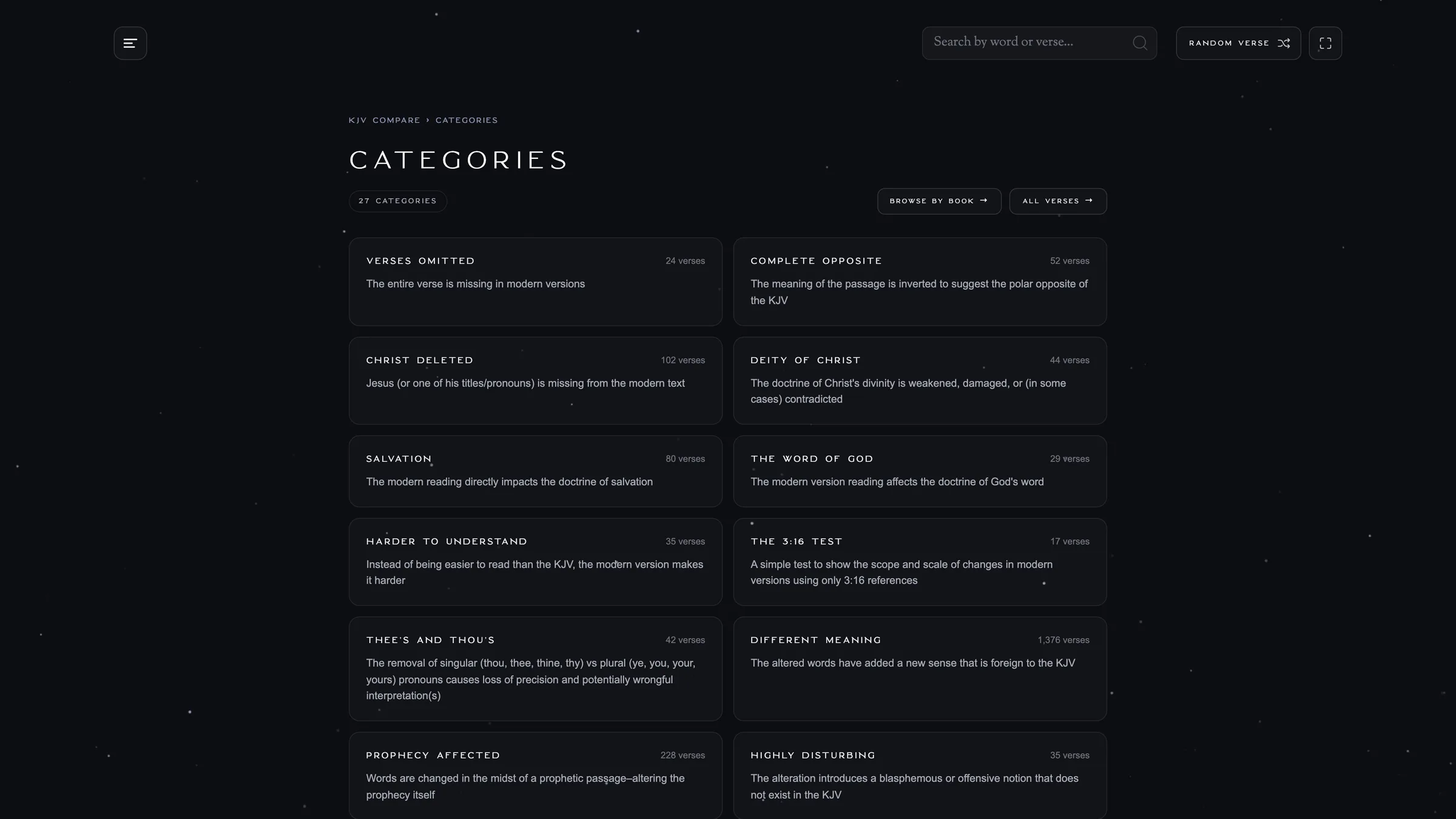
- A master list of every verse on the site
- Category pages
- Enhanced URL links designed for sharing
- Improved Search
- Fully optimized for mobile
- Completely new frameworkFor super-fast site mobility (even on slower network connections)
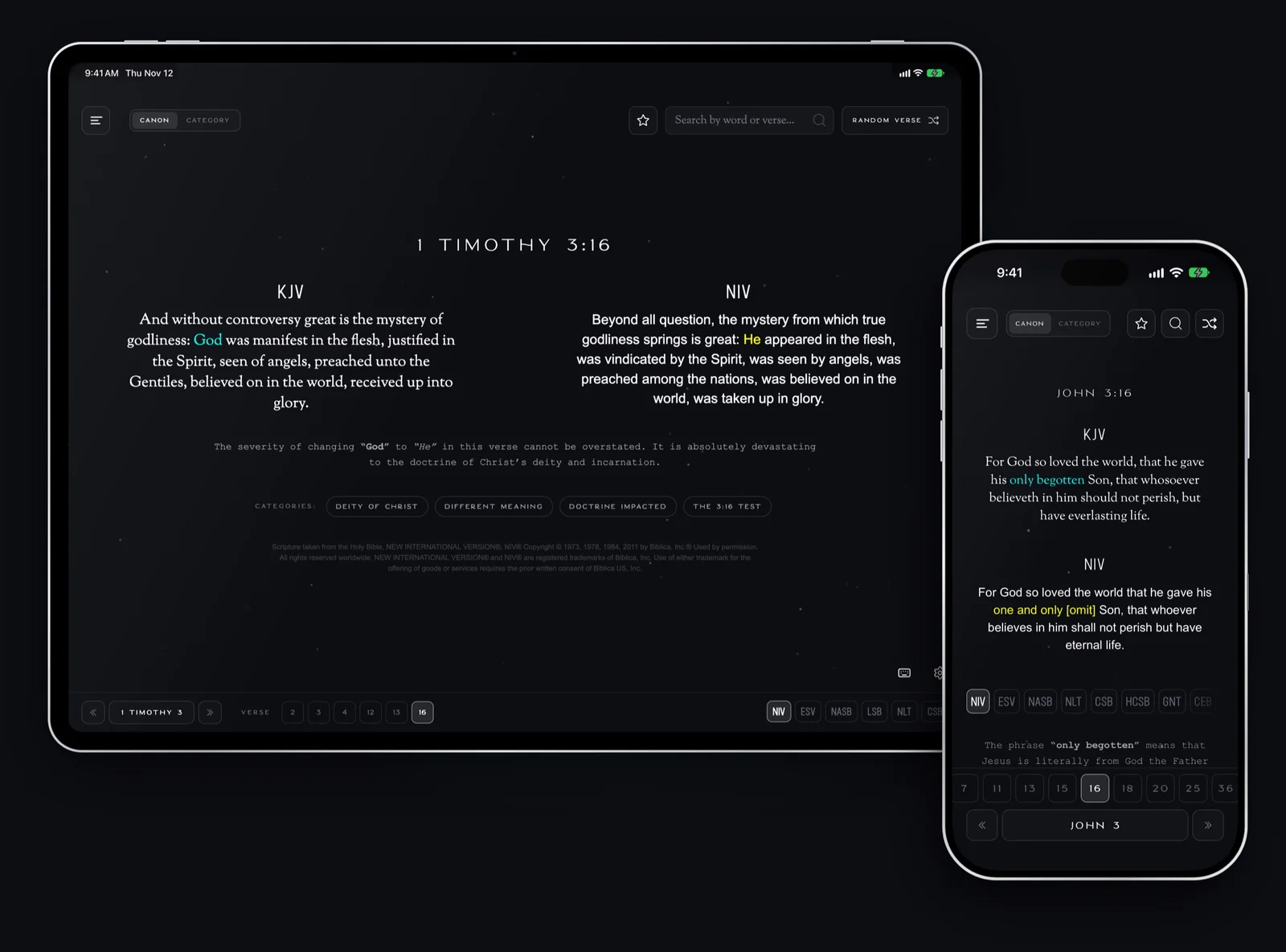
We’ve been improving KJV Compare ever since it launched, and this time we are excited to announce that we’ve rebuilt the site from the ground up. It’s now lightning fast and completely optimized for modern version comparison. If you’ve never used it, KJV Compare puts the King James Bible beside modern translations so you can see for yourself what’s been changed, taken out, or watered down.
The new site is faster, it’s much easier to use on a phone, and all your old links and bookmarks still work. The biggest change is actually one that we need your help with.
Weigh Every Change
Some changes are small. Others are as serious as changing “God” to “He” in 1 Timothy 3:16. We wanted a way to display the most severe changes first, and for readers to help us weigh those changes for themselves.
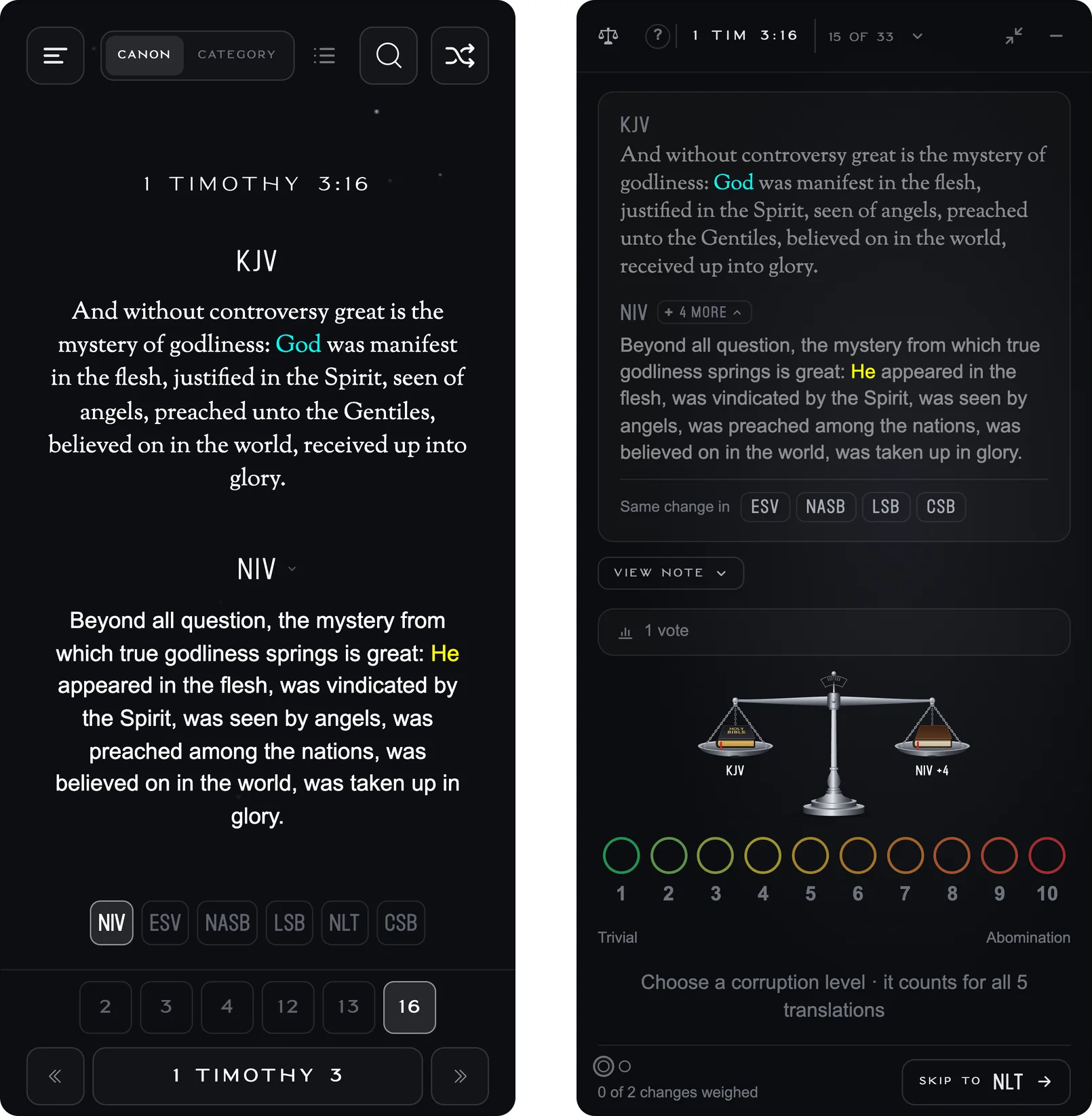
Tap the balance button on any verse to open Weigh this change. The panel highlights the words that changed, with the KJV in blue and the modern translation in yellow. You can then rate the change from 1 (Trivial) to 10 (Abomination).
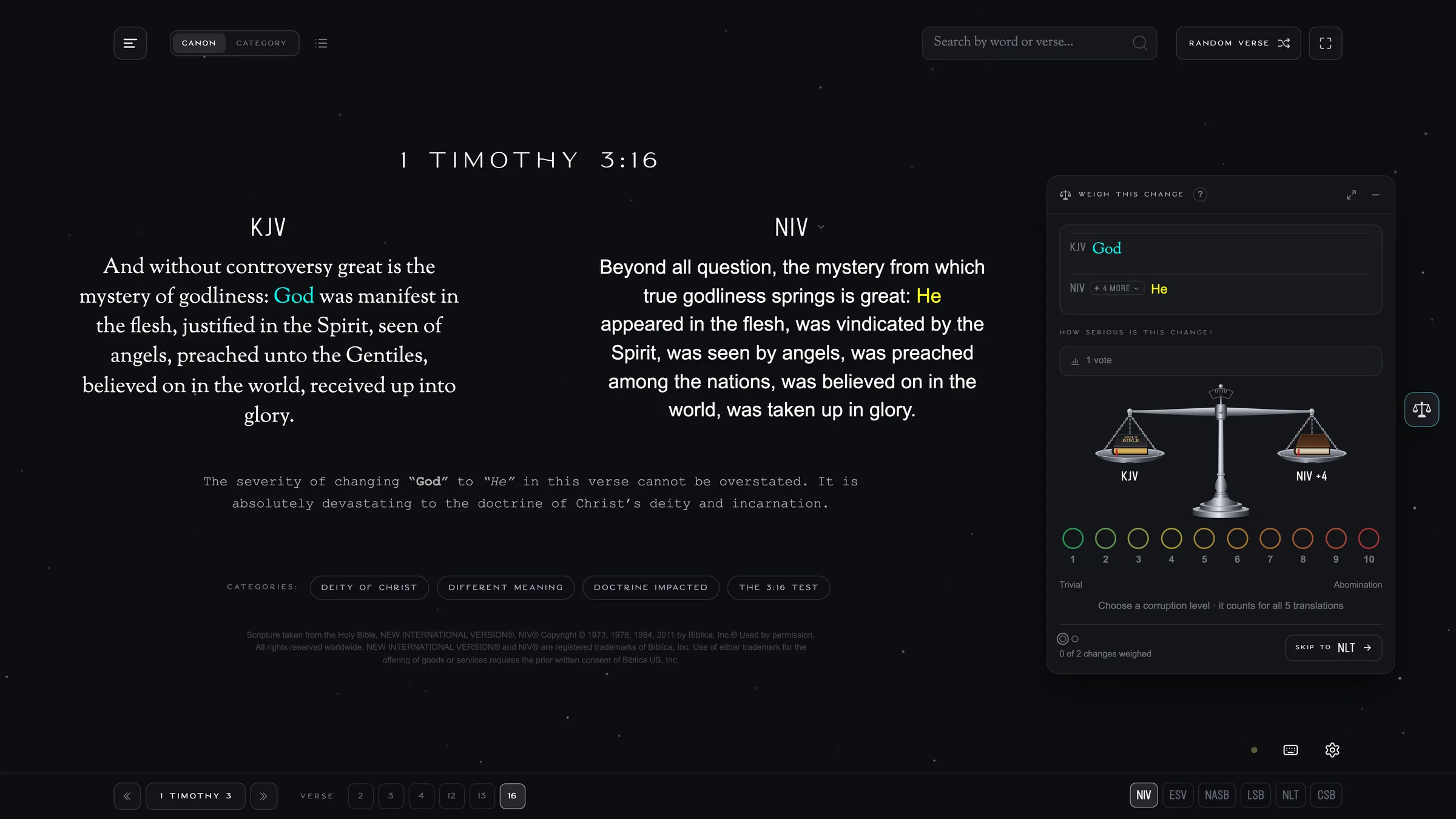
The balance button sits at the right of every verse.
If several translations make the same change, you only have to weigh it once. But sometimes, there will be different changes in different translations for the same verse. To judge fairly, we set it up so that each of these differences is judged independently. After you vote, you can see how others weighed it and move on to the next change.
Here’s what your votes help us do:
- On the home page and in Random Verse, the most corrupted verses will display for users first. Instead of seeing something trivial that is easy to be dismissed, users will be immediately faced with major differences between the KJV and modern versions.
- On each verse, the translation with the most serious change is shown first.
- Make the most of the quotations we’re allowed. Publishers limit how many verses we can quote from their translations. That way, we can max out the quotations we’re allowed on the corruptions that are most significant.
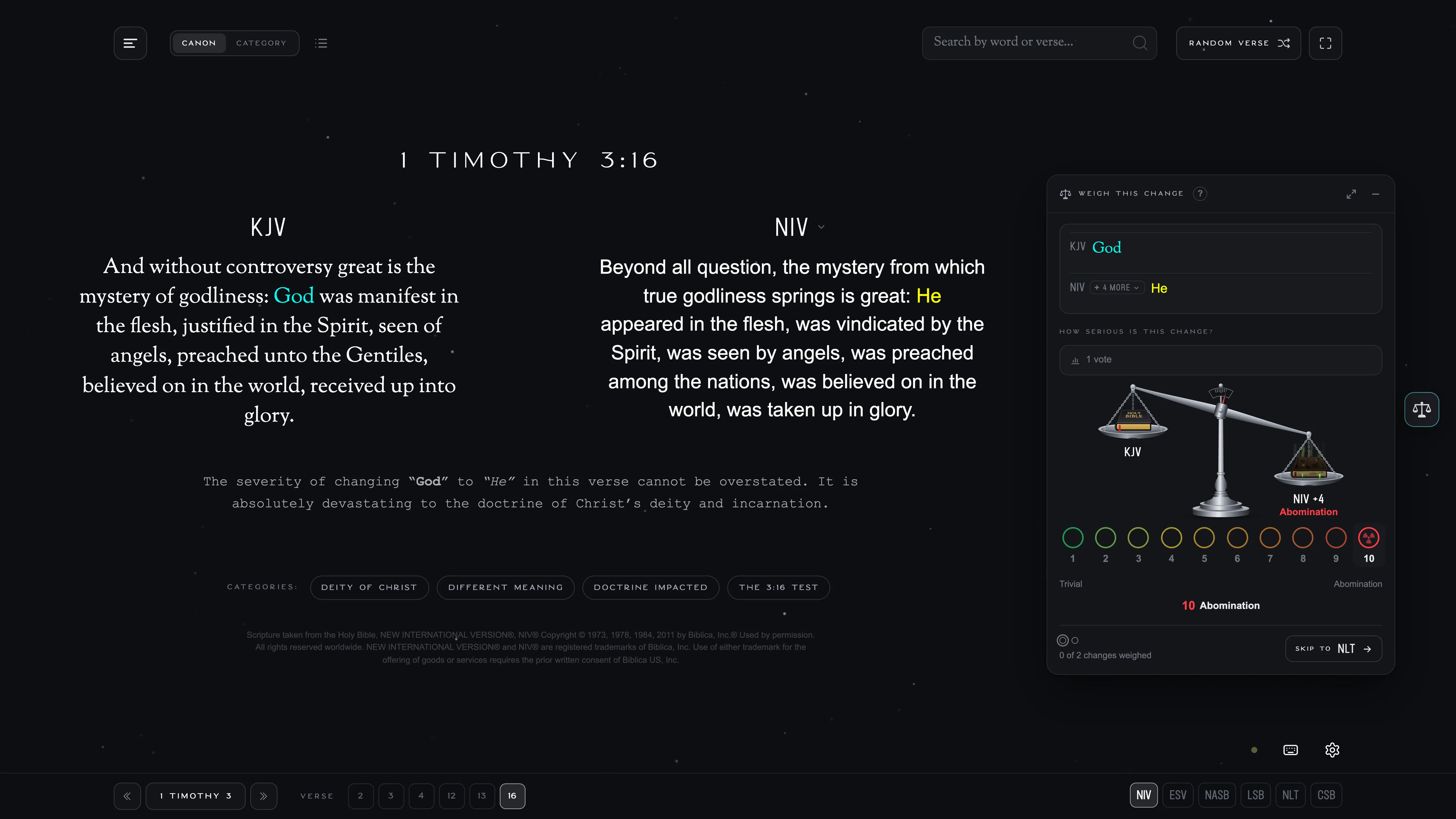
Hover over a level to see how it tips the balance before you vote.
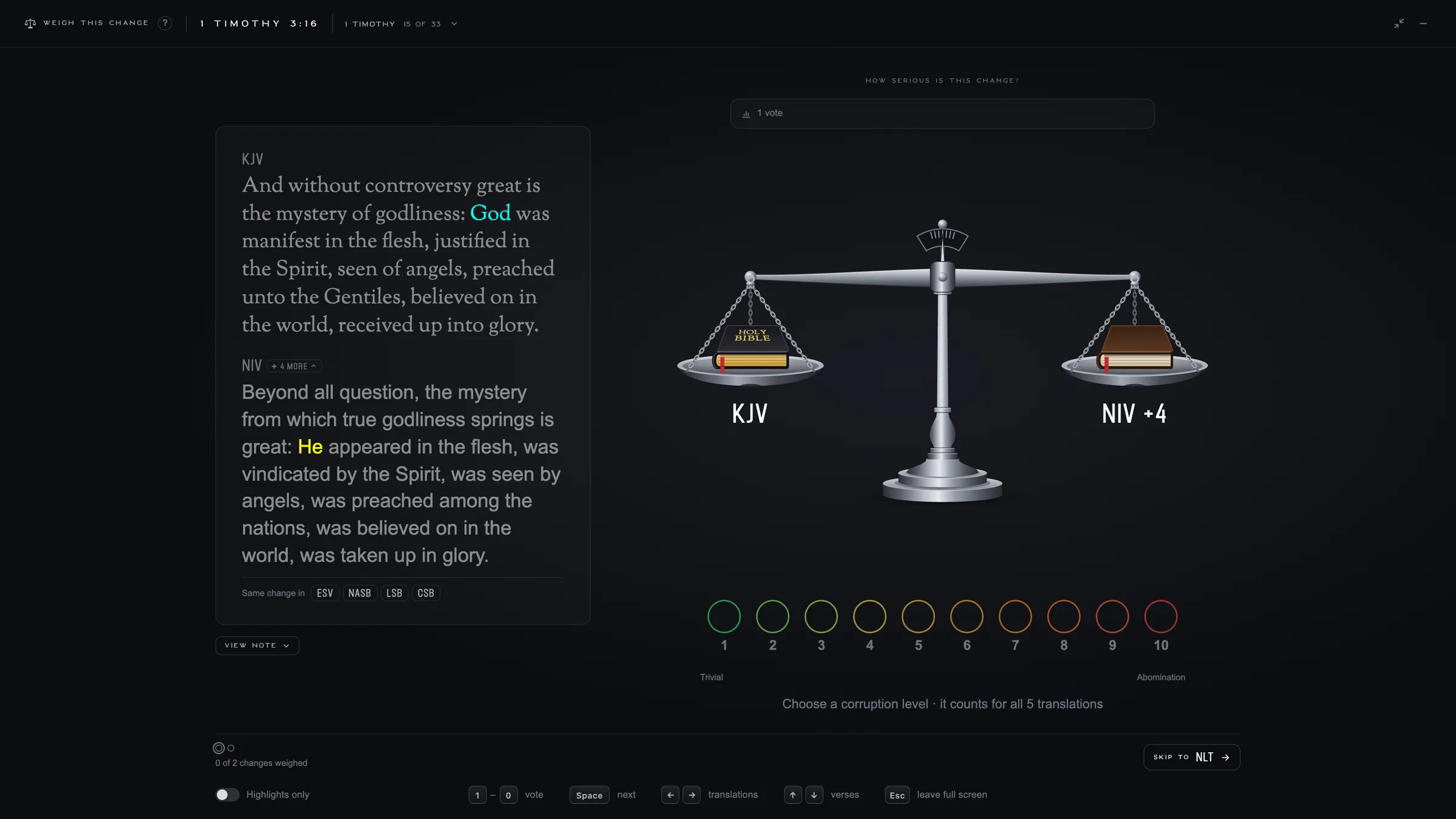
Tap the expand button in the corner of the panel to read both verses in full and see a larger balance. You can drag the pans to vote or use the keyboard. Press 1–9 to vote, 0 for 10, and the spacebar to go to the next change.
See What a Particular Translation Changed
Suppose a friend reads the NIV and you want to show them a few changes in the Bible they use. You used to have to hunt for those verses one by one. Now you can click NIV above the verse and choose how you want to go through them.
- Freeze translation keeps the NIV on screen and skips straight to the next NIV verse, whether you’re in Canon or Category mode.
- View all puts every NIV change we’ve covered on one page, with the most serious changes first. You can also pick any translation from the All Verses page.
- List mode takes you through a list one verse at a time, in the order it’s already sorted. It works for a translation’s changes or for a category like Deity of Christ.
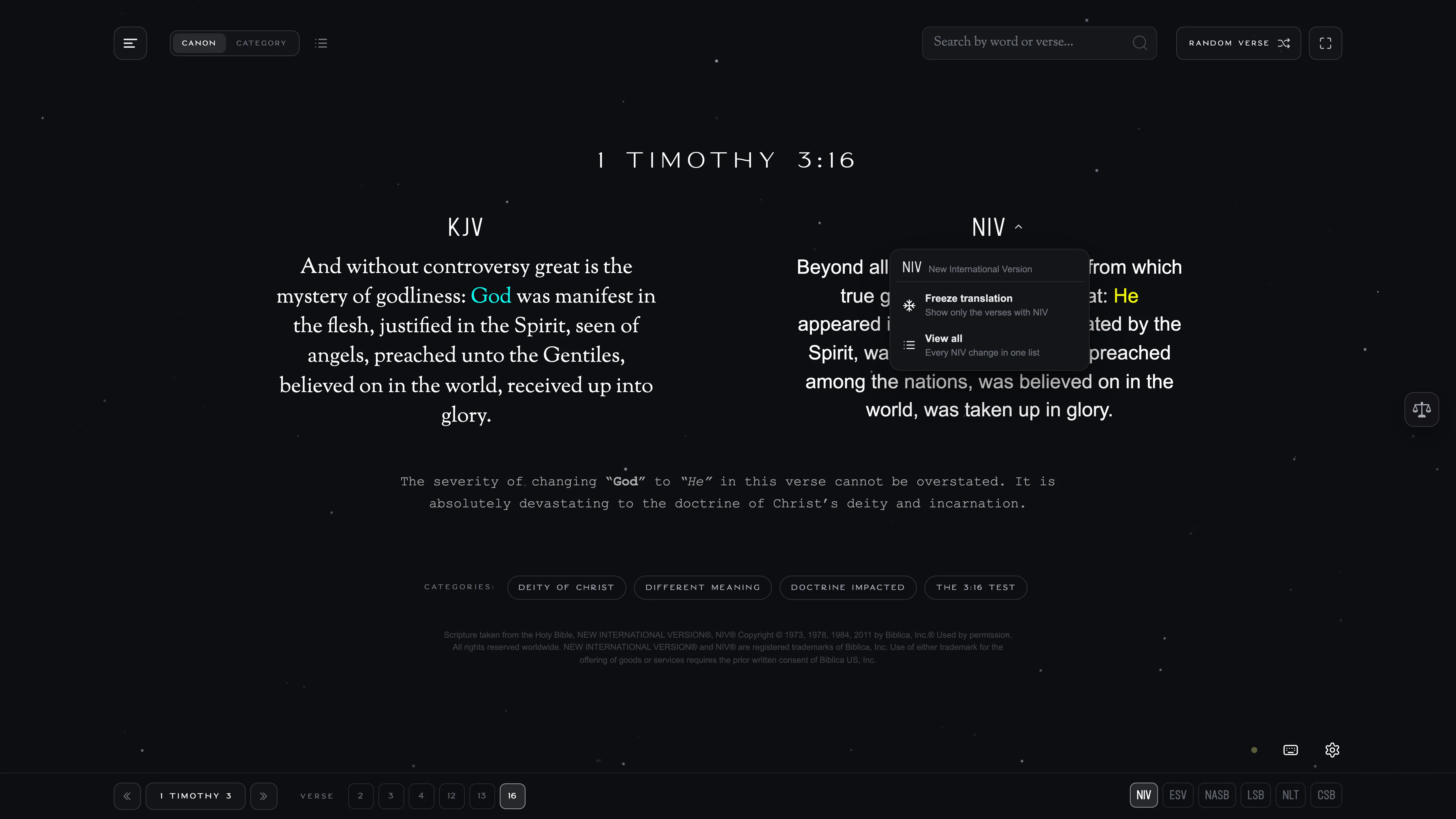
Click the translation’s name above the verse to open its menu.
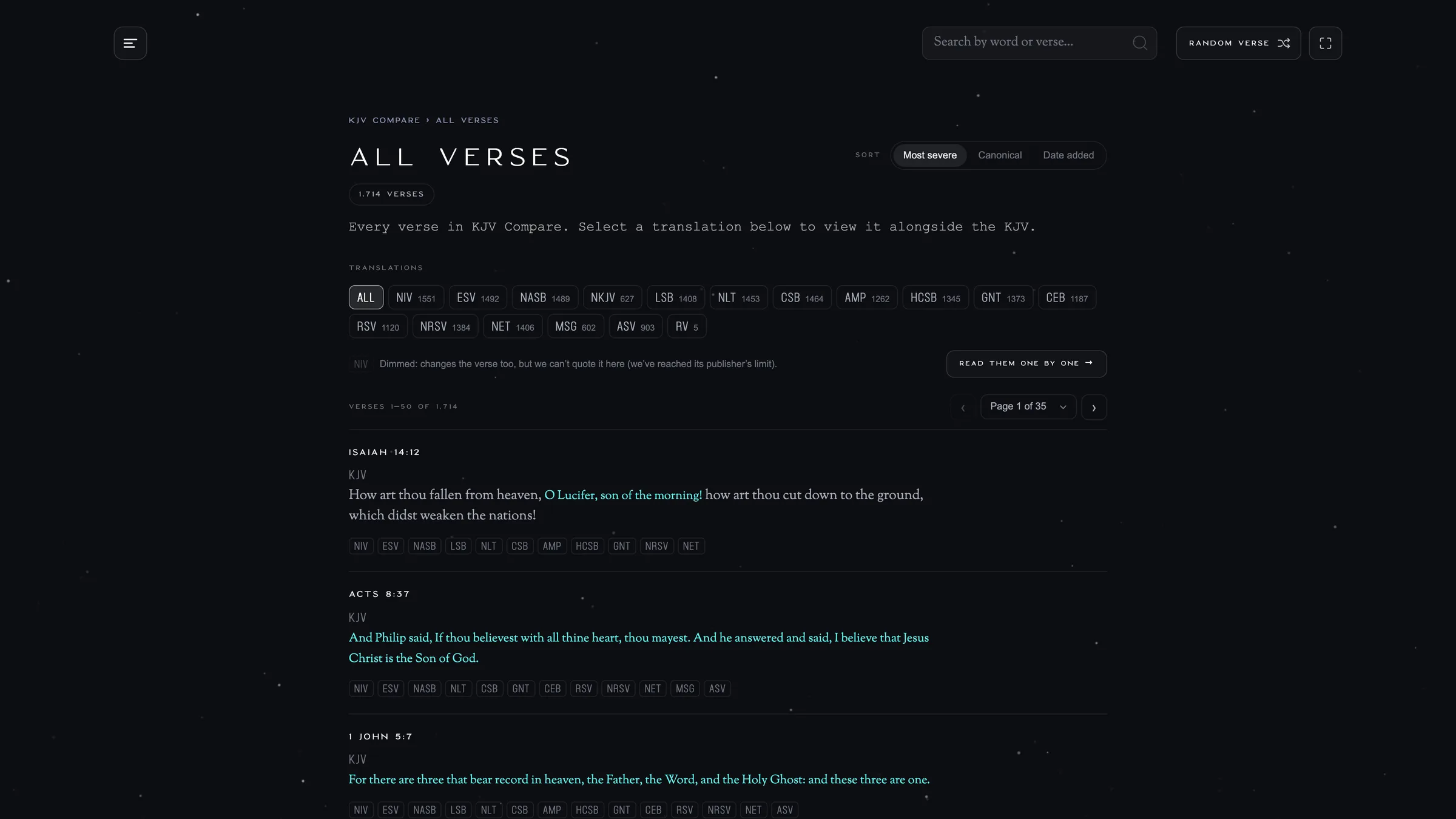
Search by Word or Verse Reference
Type a word or a reference like 1 Jn 5:7, and results appear as you type. You can jump to a book or chapter, find a topic, or open a specific verse.
On a computer, the highlighted result shows the full comparison beside the search results, with the KJV above the modern translation. You can see the change before you open the verse.
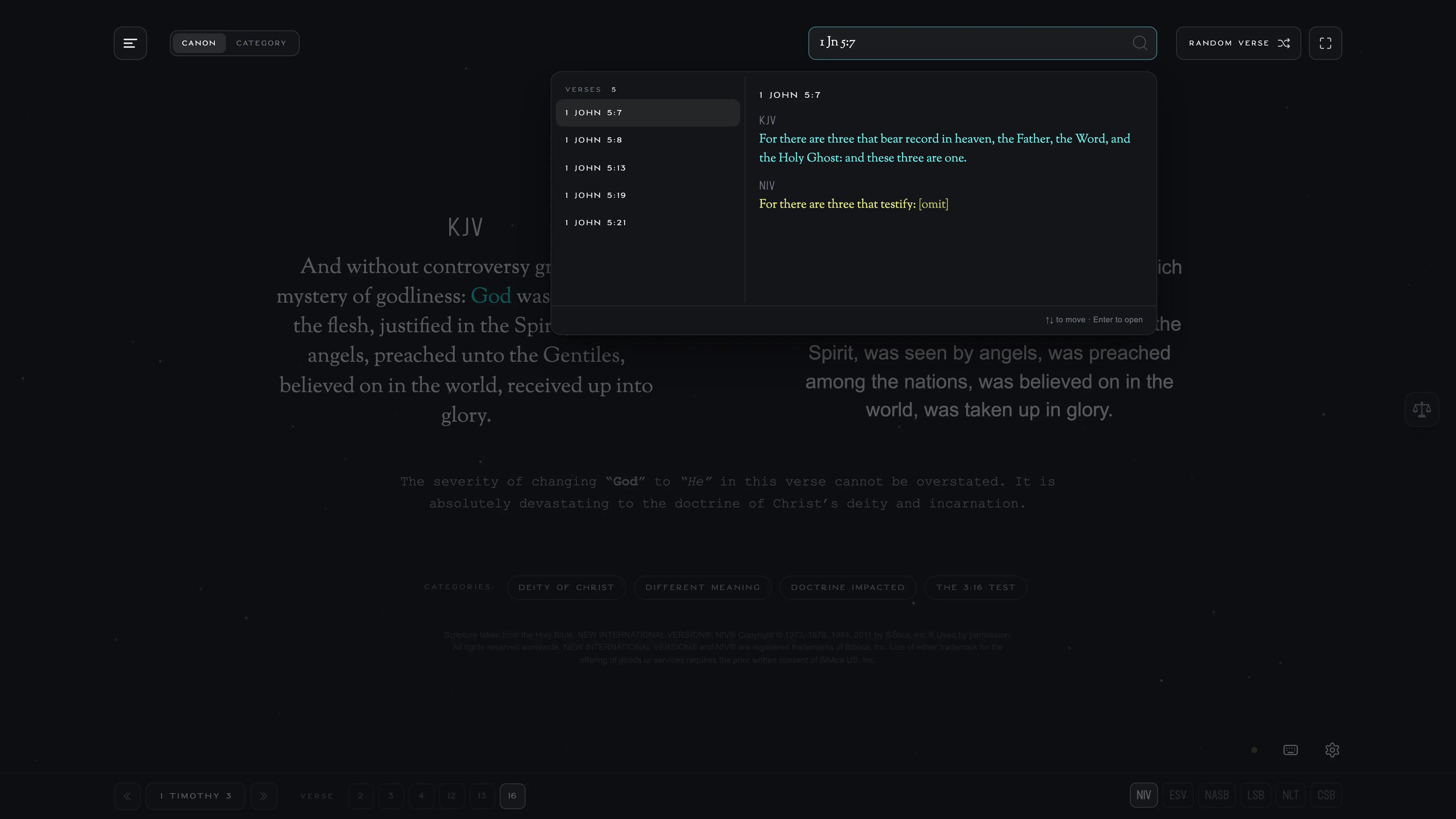
Browse by Category, Book, or Chapter
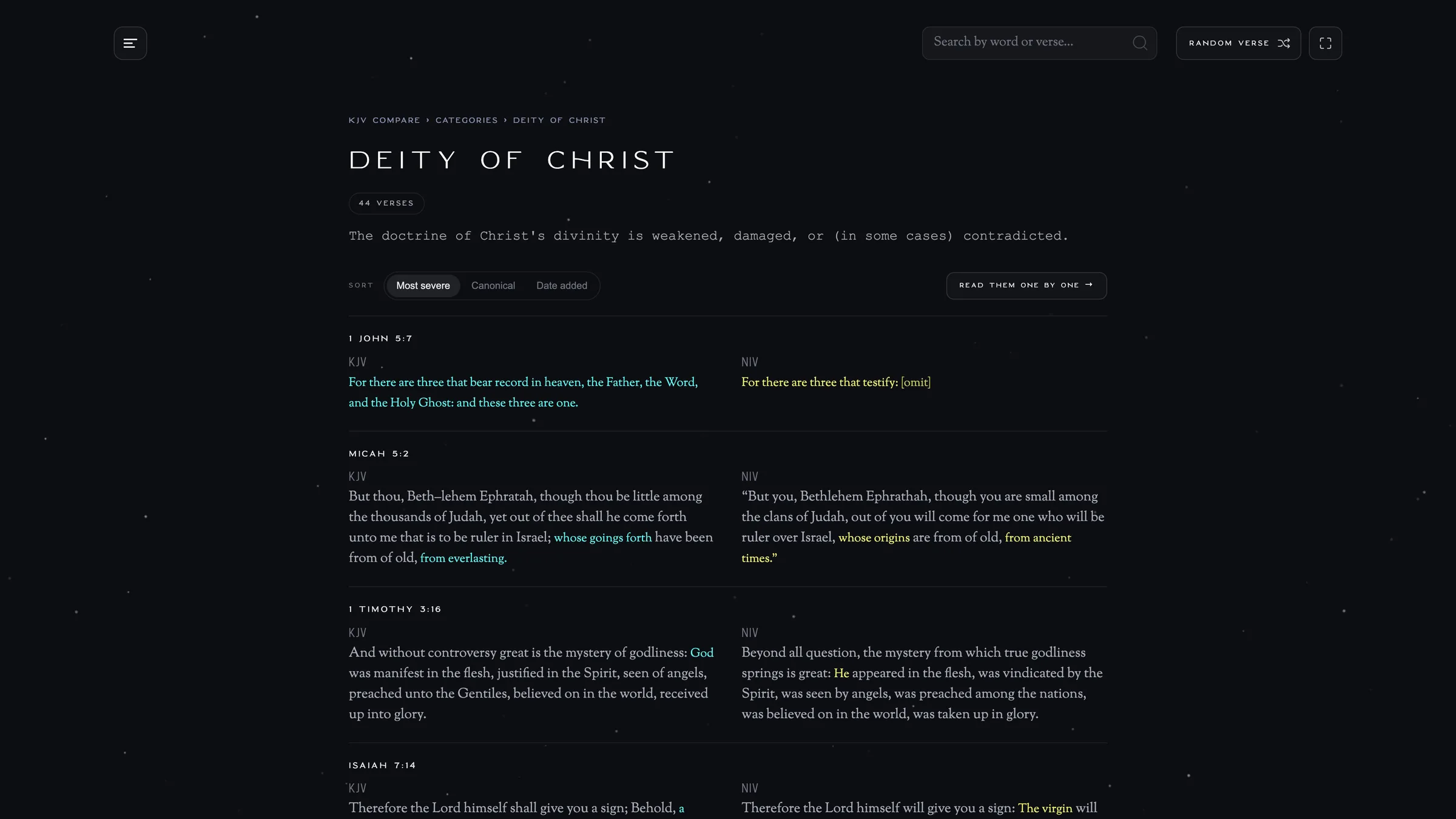
Each category has its own page with every comparison we’ve added to it. On the Deity of Christ page, for example, you’ll see the KJV beside a modern translation for each verse. You can sort by severity, Bible order, or date added. The New tag marks verses added in the last 40 days.
You can also see all the verses we’ve compared in a particular book or chapter, such as John or John 3.
Easier to Use on Your Phone
Mobile was one of our biggest weaknesses, with slow speeds and hard-to-use controls. We’ve overhauled mobile completely to make it quick and delightful to swipe through verses.
- Swipe up or down on the verse to move between verses.
- Swipe left or right to switch translations.
- Tap the balance button below the verse to weigh a change. You can expand it to fill your screen.
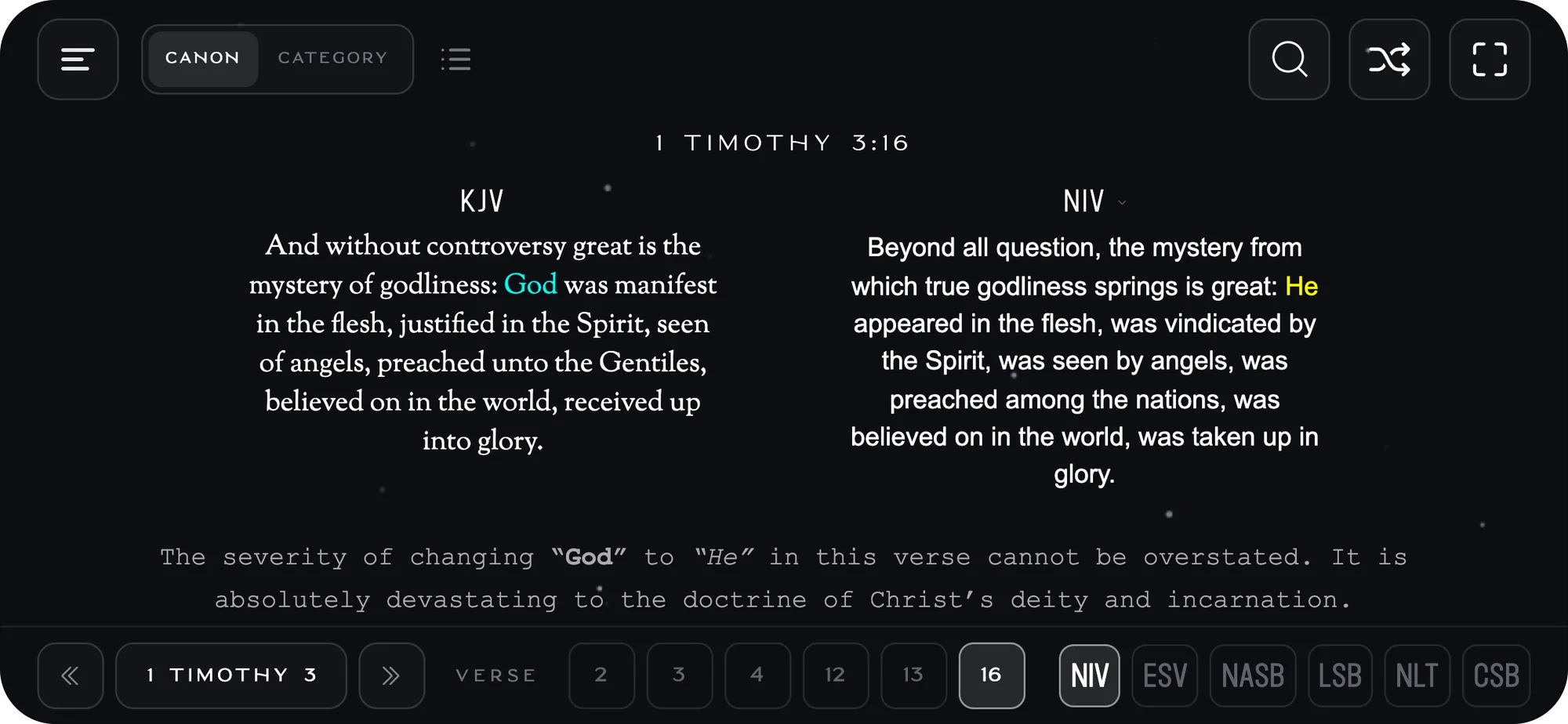
- Optimized for landscape view. Turn your phone sideways to read the KJV and the modern translation side by side.
- Pinch to adjust the text size.
A Few More Changes
- NWT Matches. Now you can immediately see which translations match the Jehovah’s Witnesses’ Bible (New World Translation). A small yellow dot marks a translation that makes the same change as the NWT (which, by the way, was first published over 15 years before the NIV). We’ve marked matches on 750+ verses so far. If you find it distracting, you can turn off the yellow dots in Settings.
- Share the exact comparison. Copy the page’s current URL and send it to anyone, or post it anywhere. It now opens to the same verse, Category (if in category mode), and translation you were looking at.
- No repeats in Random Verse. You can keep going without seeing the same comparison again.
- Faster pages. Pages are ready to read when they open, with no loading screen. You can also hold down the arrow keys as long as you would like without experiencing lag or strange loops that would occur in the original build.
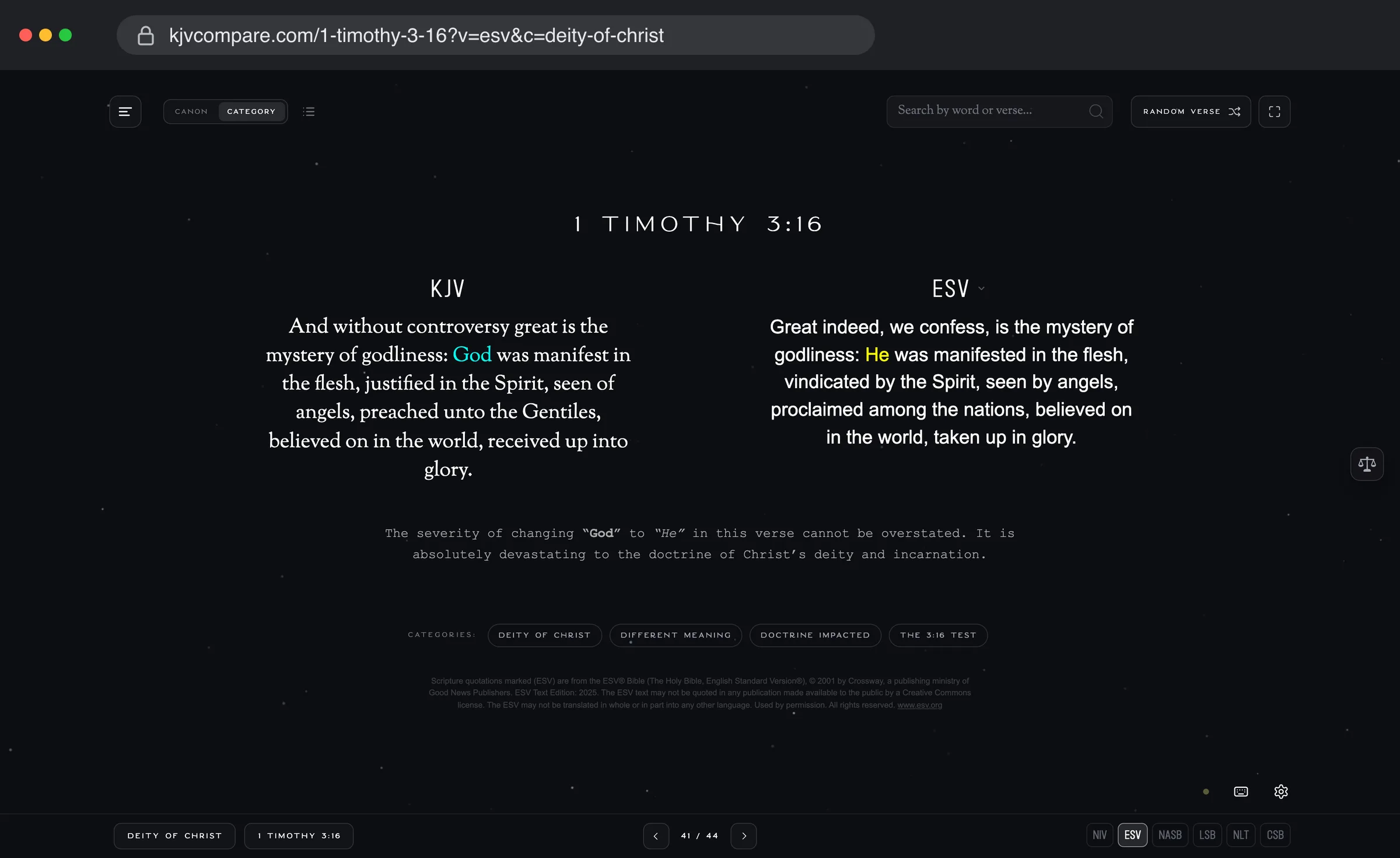
The address carries the translation and the category, so a shared link opens on exactly this comparison.
KJV Compare Apps Are Coming Soon
The apps for iPhone, iPad, Mac, and Android are being built and will be ready for testing soon. The apps will include Weigh Verses, let you star your favorites, and have every comparison built in so you can use them offline. We’ll let you know when they’re available in the App Store and Google Play.
Give It a Try
Go to KJV Compare, tap Random Verse, and weigh a few changes for yourself. If you find a verse we haven’t covered, send it through Submit a Verse and one of our volunteers will look into it.
All glory to our Lord Jesus Christ, who has kept his word for us.
The words of the LORD are pure words: as silver tried in a furnace of earth, purified seven times. Thou shalt keep them, O LORD, thou shalt preserve them from this generation for ever. Psalm 12:6–7